Step 01
Load the extension
Use the published Chrome Web Store version, or load version 2.4.17 from the repository unpacked in Chrome, Brave, Arc or Edge.
Download or clone the repository, open the extensions page, enable Developer mode and select the project root.
Step 02
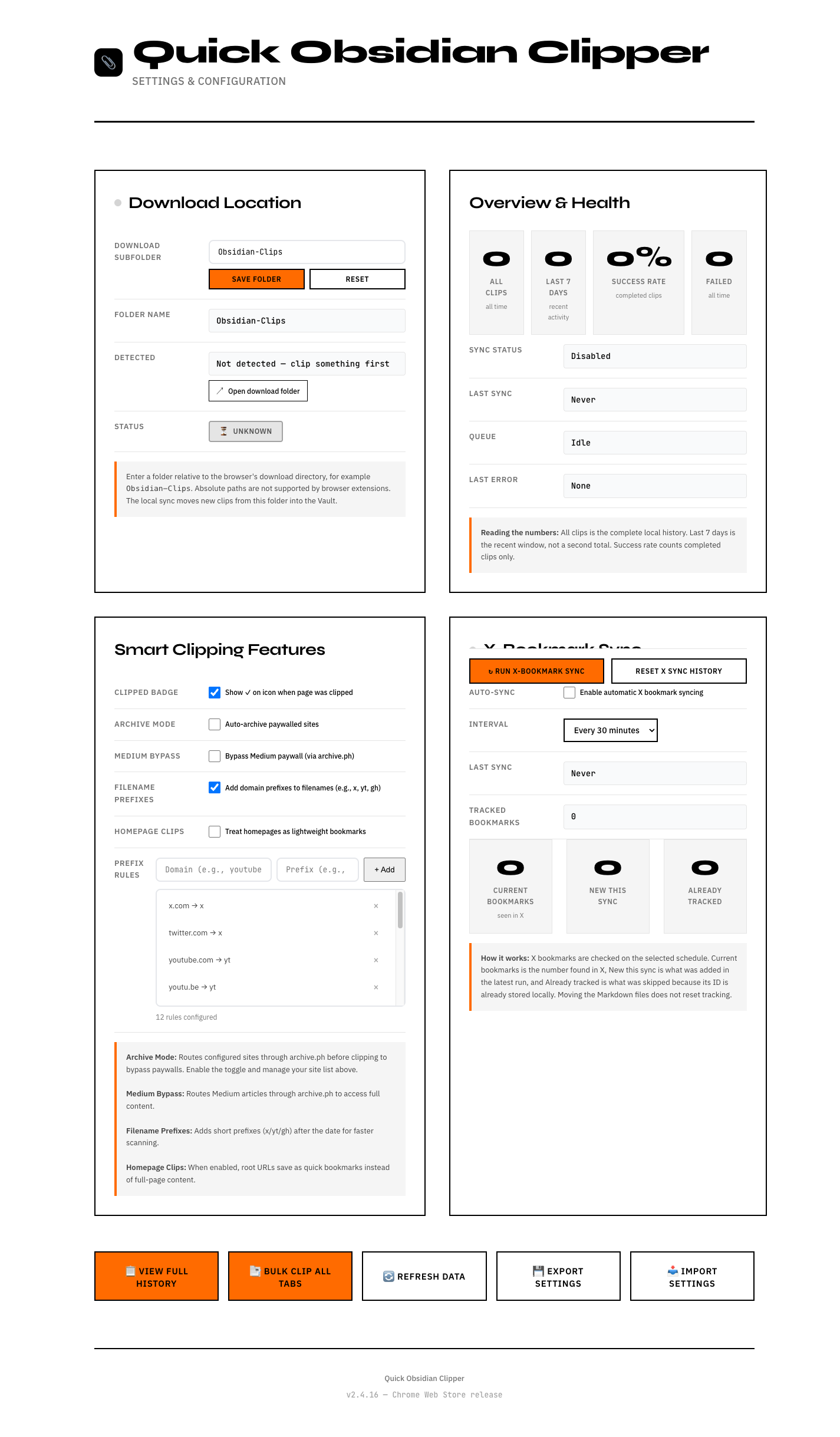
Choose your subfolder
Keep Obsidian-Clips or set a relative path below Downloads. Browser extensions cannot write to arbitrary absolute paths.
The Options page shows whether the folder was detected after your first clip.
Step 03
Clip and move into Obsidian
Clip with one click or a shortcut. Then let your folder sync move the file into your vault, or move it yourself.
X bookmark IDs stay valid even after the generated files move inside the vault.